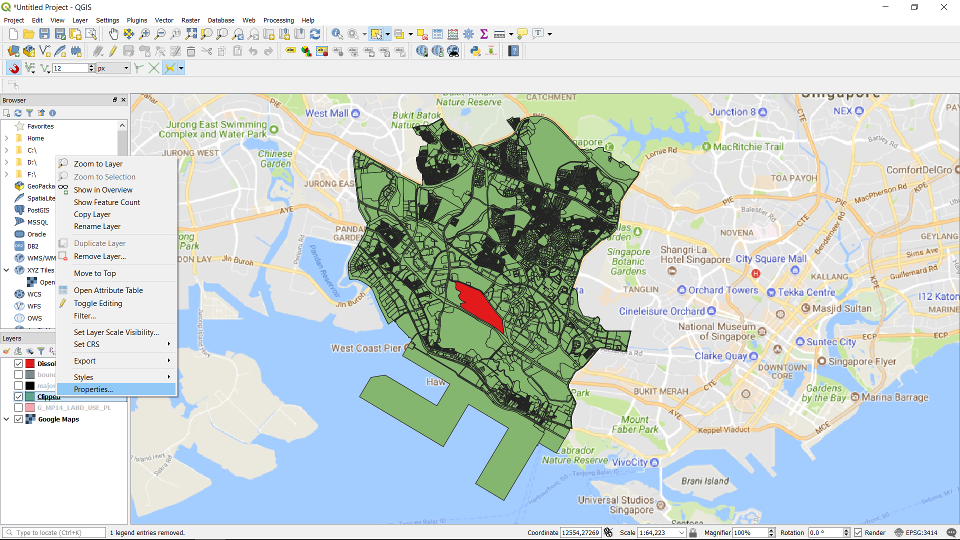
Right click on the layer -> Properties ...
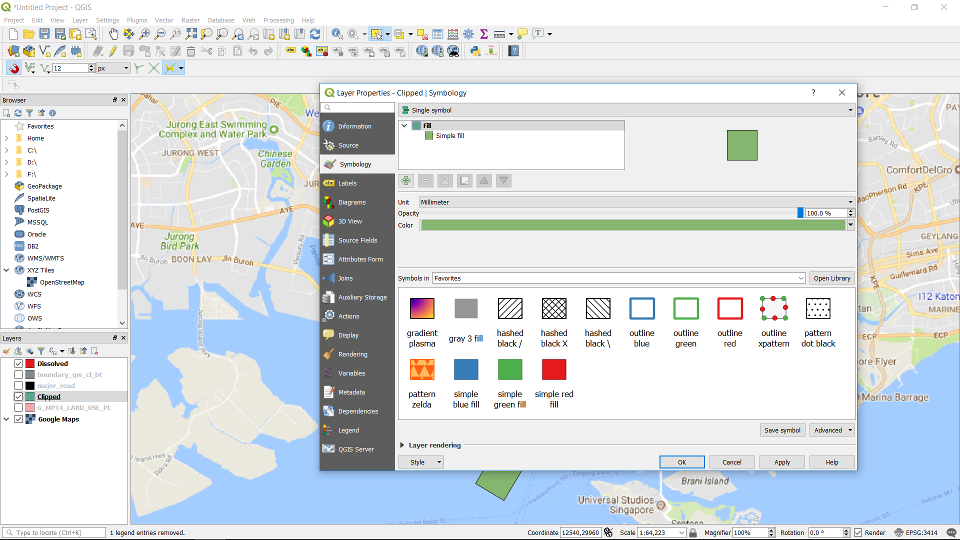
Click on symbology.
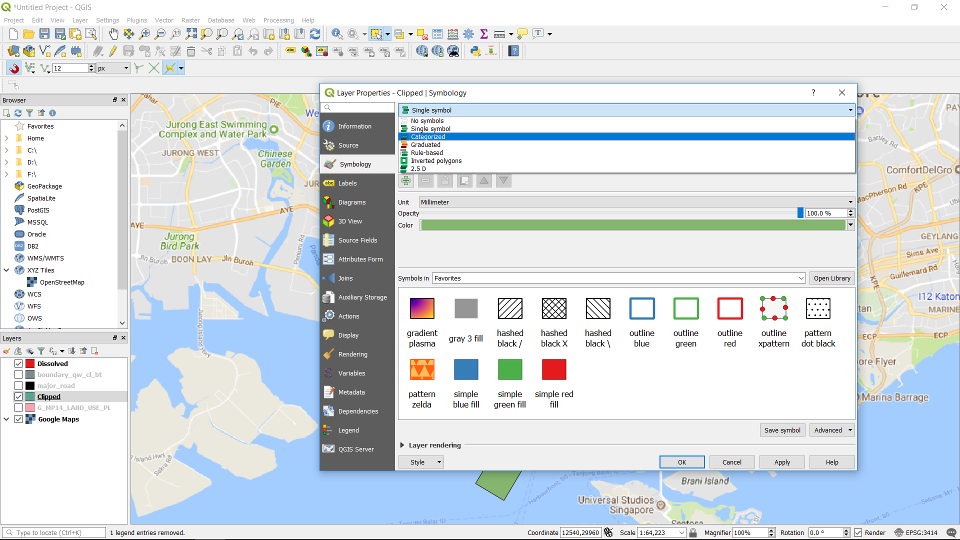
Choose “Categorized” in the drop-down list.
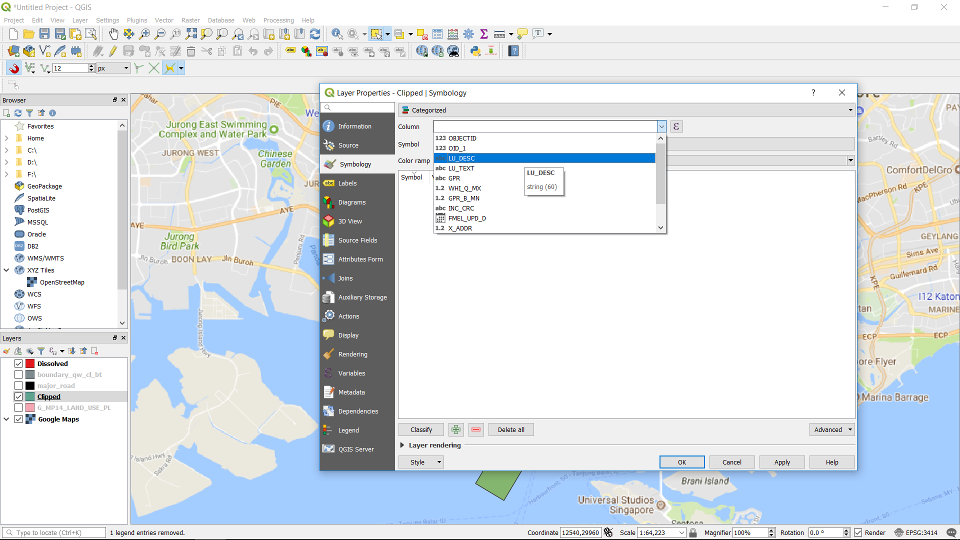
Choose the attribute to categorise.
Then click on Classify.
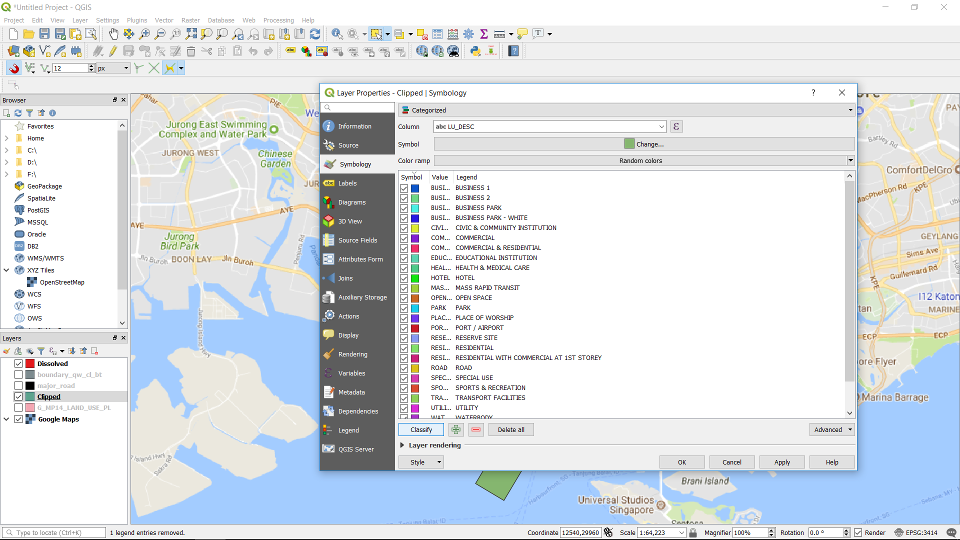
Choose the Colour Ramp.
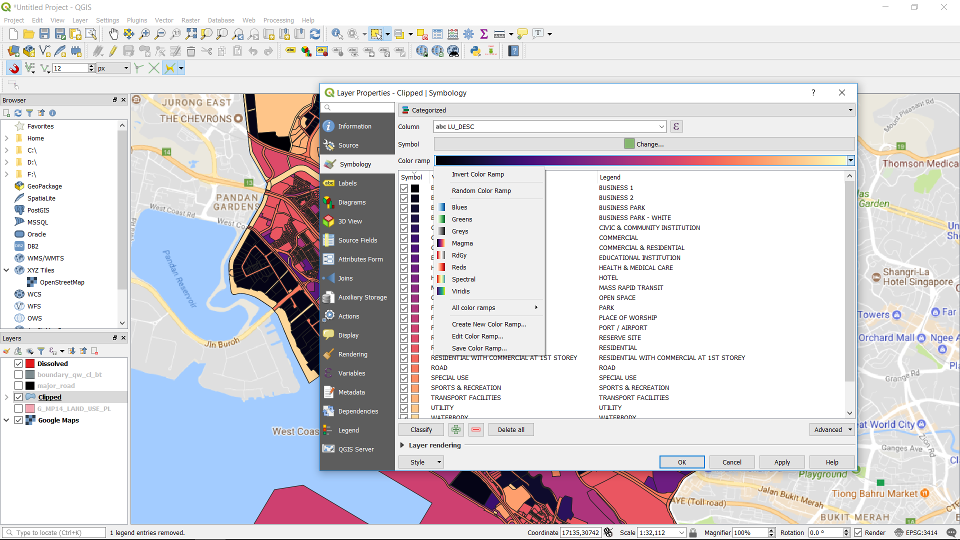
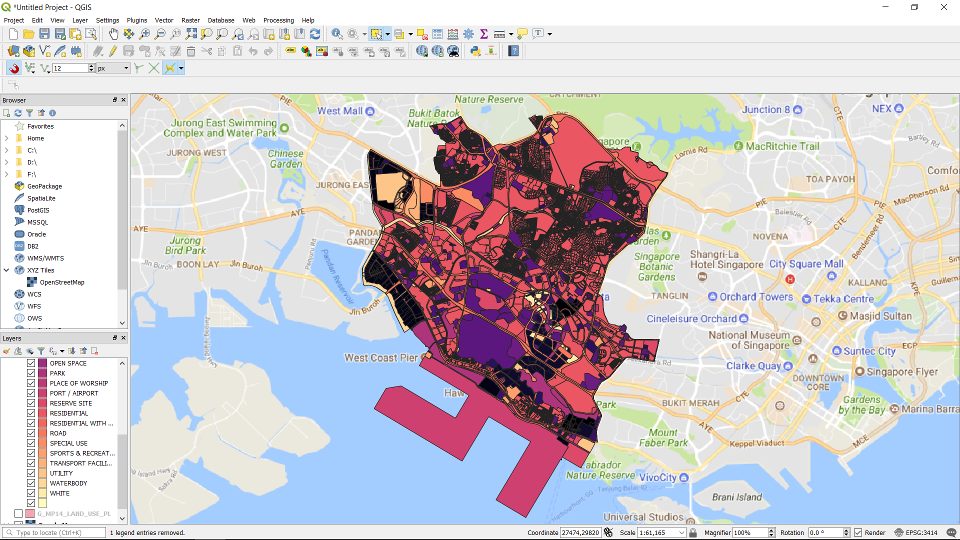
Apply.
Right click on the layer -> Properties ...
Click on symbology.
Choose “Categorized” in the drop-down list.
Choose the attribute to categorise.
Then click on Classify.
Choose the Colour Ramp.
Apply.