Go to Settings -> Options...
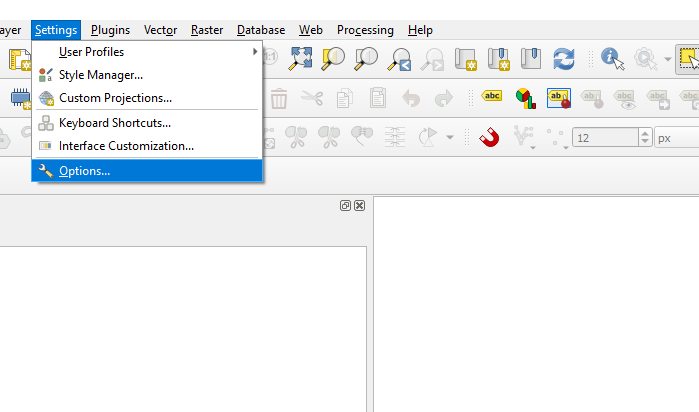
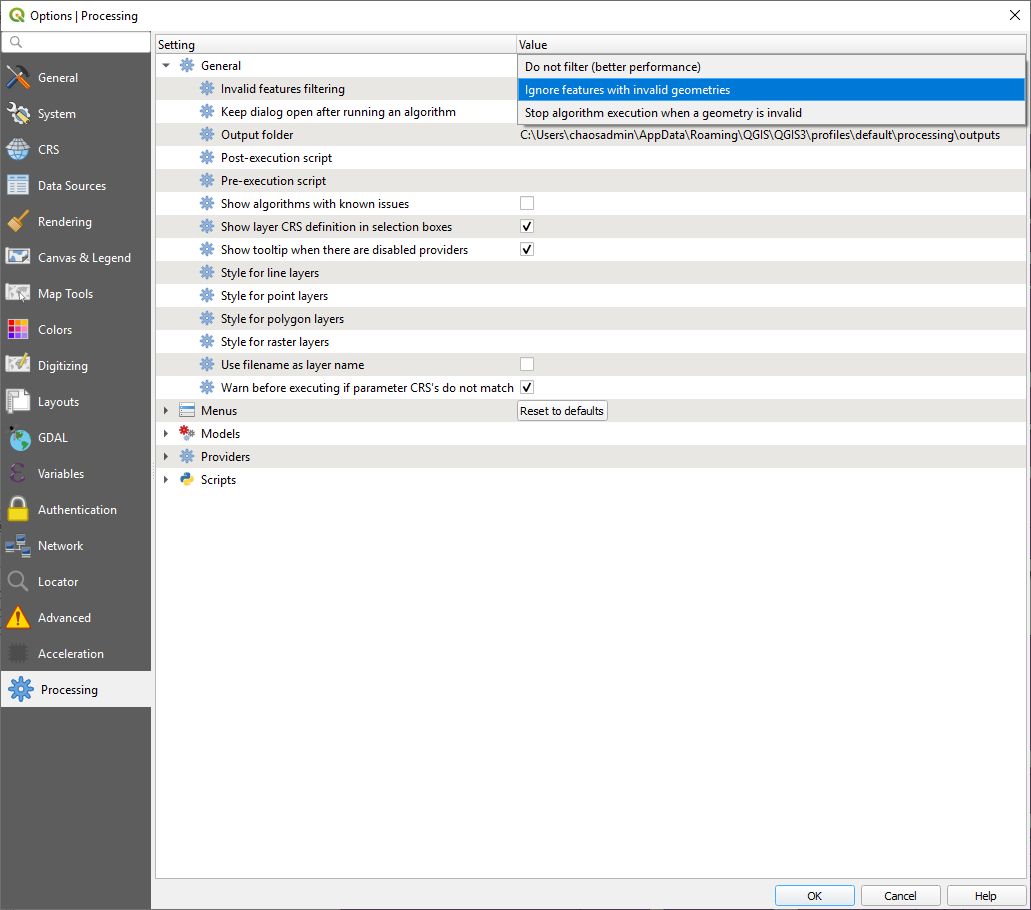
Go to tab, Proceessing -> General -> Invalid features filtering. Choose the selection “Ignore features with invalid geometries”. If your clip did not work previously, it might work now.
Go to Settings -> Options...
Go to tab, Proceessing -> General -> Invalid features filtering. Choose the selection “Ignore features with invalid geometries”. If your clip did not work previously, it might work now.