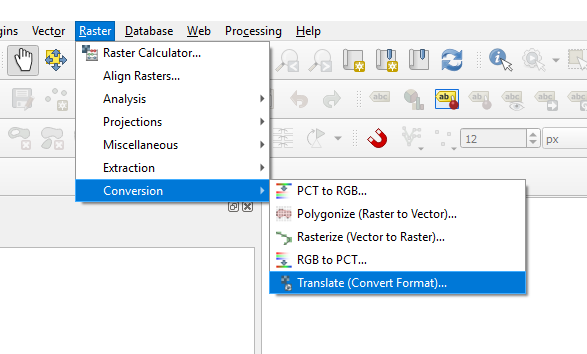
Go to Raster -> Conversion -> Translate (Convert Format)...
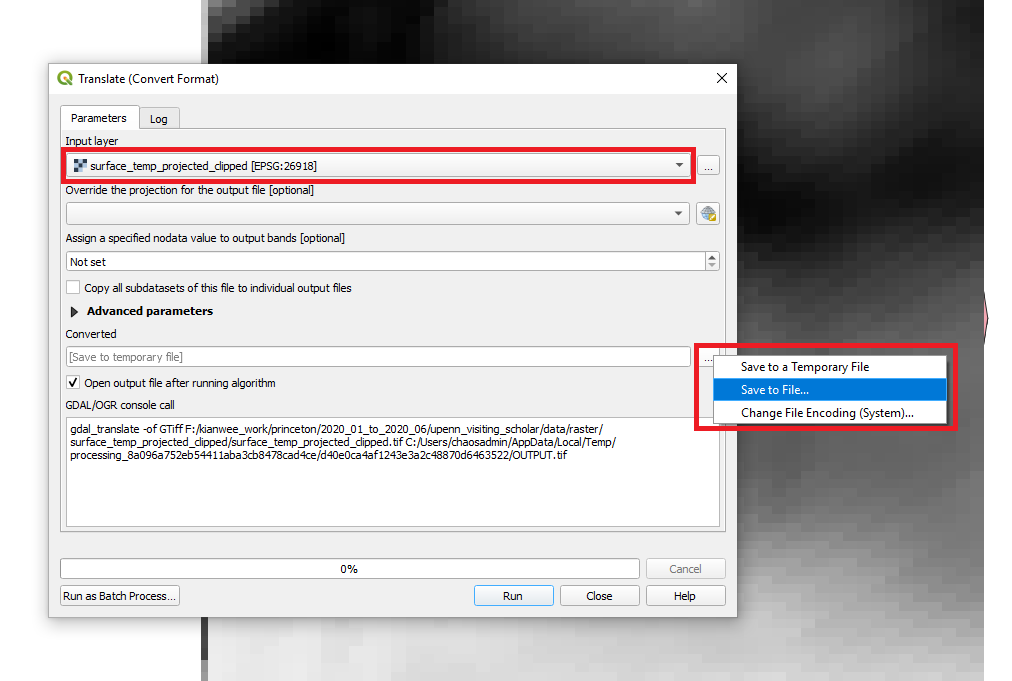
Choose the raster layer you want to convert. At the converted
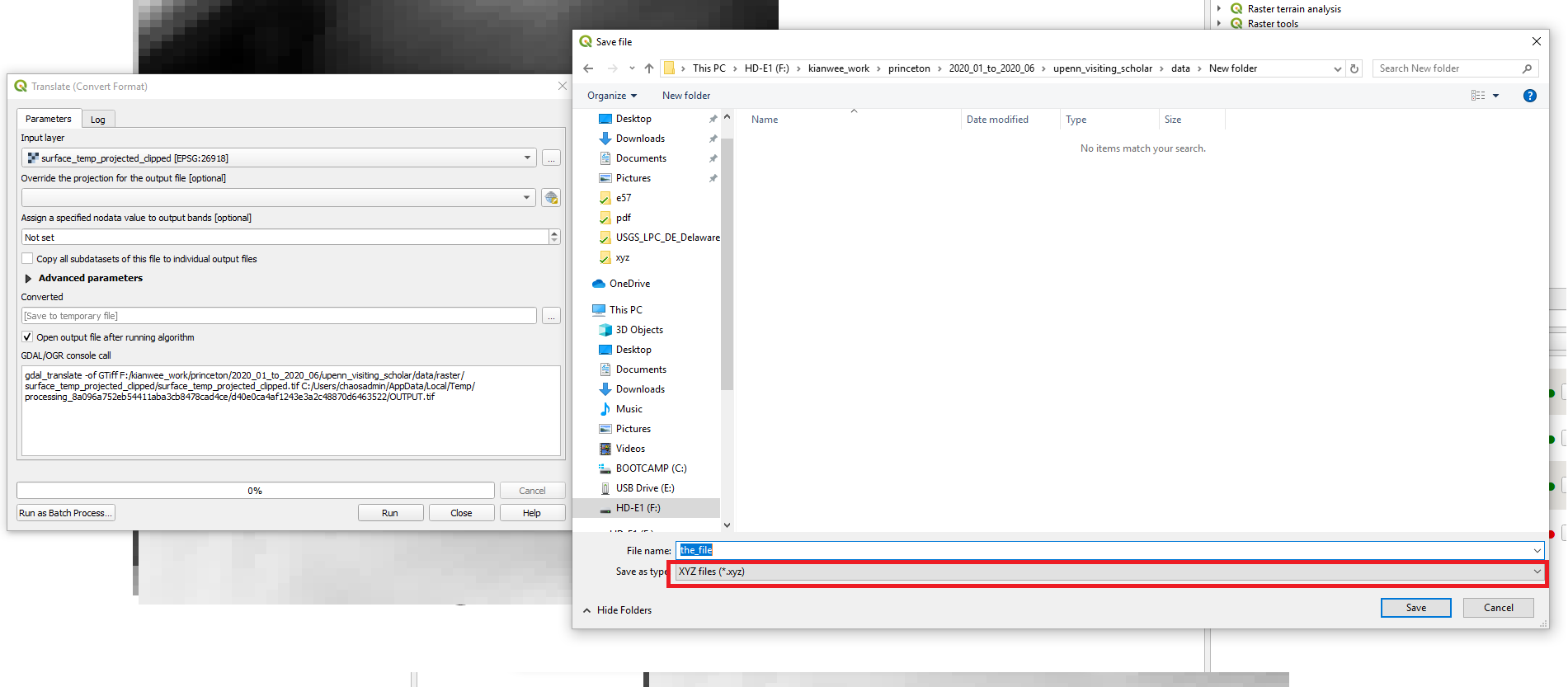
In the Save file window choose the “XYZ files (*.xyz)”. Click “Save”. Then click run. The layer is exported.
Go to Raster -> Conversion -> Translate (Convert Format)...
Choose the raster layer you want to convert. At the converted
In the Save file window choose the “XYZ files (*.xyz)”. Click “Save”. Then click run. The layer is exported.